
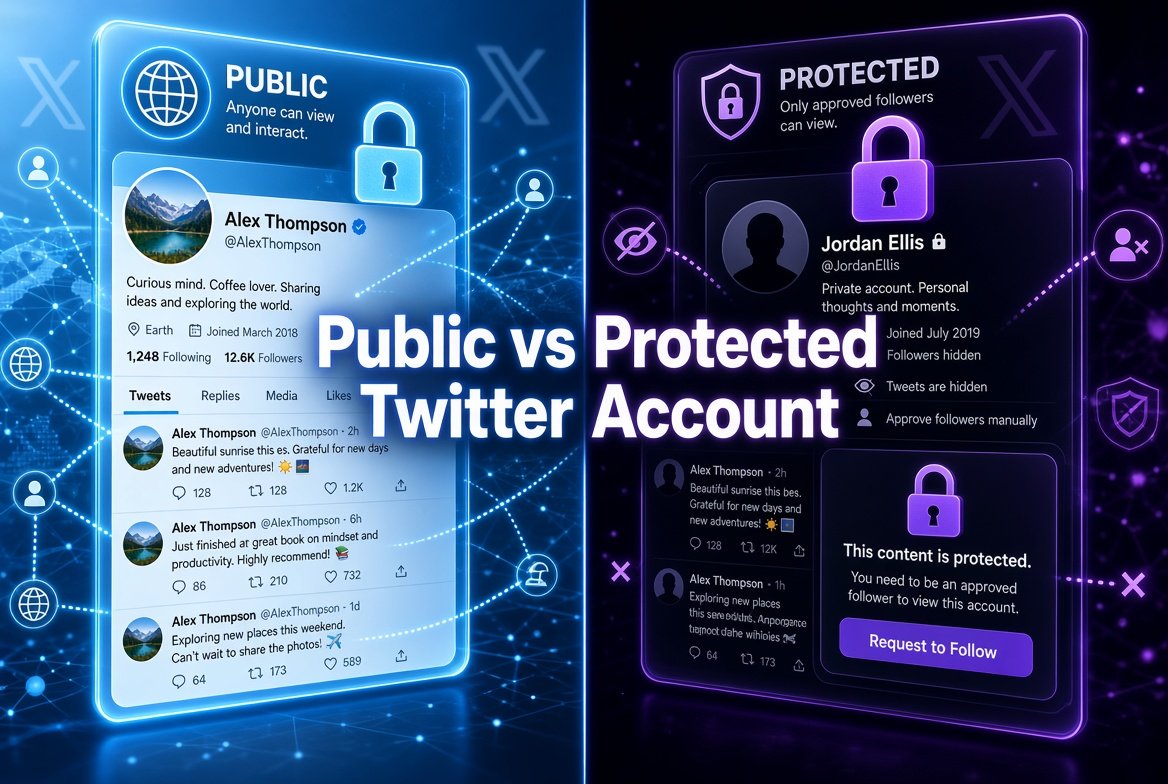
Many people are unclear about what “public” and “protected” actually mean on Twitter (now X). The difference is simple, but it affects who can see your posts and how others can interact with you.
Here is a clear breakdown.
What Is a Public Account?
A public account is the default setting. Anyone on the internet can see your tweets, profile information, photos, and videos. They do not need to follow you or even have an account of their own.
Public accounts are open by design. Search engines can index the content, and third-party tools can display the posts. This is why public profiles are easy to view through different websites and browsers.
What Is a Protected Account?
A protected (or private) account limits visibility. Only people you approve as followers can see your tweets. Anyone who is not an approved follower will only see your profile name, bio, and profile picture. They cannot read your posts or view your media.
Protected accounts are useful if you want a smaller, more controlled audience. Many people use this setting for personal updates, family content, or private conversations.
Key Differences at a Glance
- Who can see tweets: Everyone (public) vs only approved followers (protected)
- Search visibility: Public tweets can appear in search results. Protected tweets usually do not.
- Sharing: Public tweets can be easily shared and embedded. Protected tweets cannot be shared outside the approved circle.
- Replies and mentions: On a public account, anyone can reply. On a protected account, only followers can interact in most cases.
Can Protected Accounts Be Viewed by Outsiders?
No. Legitimate tools and websites cannot show protected tweets. If a site claims it can unlock private accounts, it is either false or potentially unsafe. Protected content stays limited to approved followers only.
Which Setting Should You Choose?
Choose a public account if you want reach, visibility, or to share ideas openly. Choose a protected account if you prefer privacy and only want a selected group of people to see what you post.
You can switch between the two settings at any time in your account preferences. When you protect an account, previous public tweets become limited to followers. When you make it public again, those tweets become visible to everyone.
Final Thoughts
The choice between public and protected is really about control. Public accounts are open and easy to find. Protected accounts give you a closed space. Understanding the difference helps you decide how much of your activity you want visible online.